
Marine Navigator2.1.18 - Google Play
You'll be able to see results in few seconds.
Publisher Description
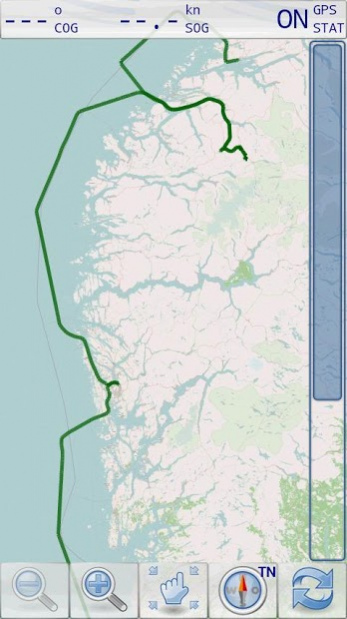
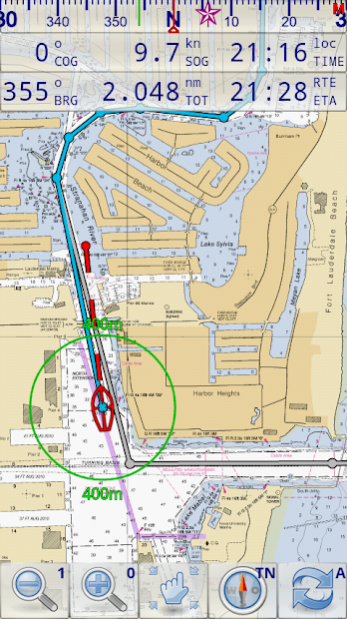
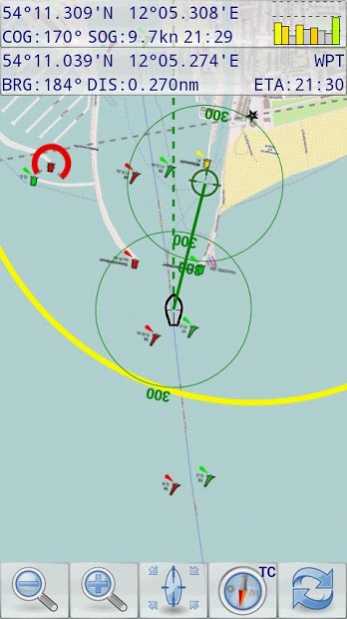
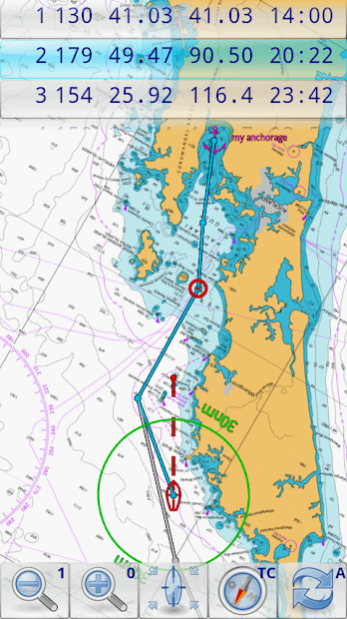
Marine Navigator is an offline navigator using raster navigational charts (RNC's) to plot your position in real time. This way you can navigate with true copies of official paper charts on your mobile device. This full version of the Marine Navigator provides besides the functionality of the lite version the following enhanced functions:
* automatic chart switching depending on current position and zoom level
* scrolling through all charts available for the current location by "press and hold" zoom buttons
* display of number of available charts for current location in the zoom buttons
* display of outlines of installed charts in active chart
* chart rotation (True North, True Course, Compass Heading, original chart orientation)
* support of non-mercator projections (Polyconic, Transverse Mercator, UTM, ...) by polynomials
* support of geodetic datum other than WGS84/NAD83 by applying northing and easting
* tracks, way points, routes
* follow route automatically
* intuitive route editor
* gpx import and export of waypoints and routes
* gpx export of tracks
* recording of tracks in active and standby mode
* compass (magnetic heading, true heading, true north indicator)
* different dashboard layouts (basic data, detailed route data, detailed GPS data including graphical status info)
* Man Over Board (MOB) functions
* import and storage of installed charts in external folders
* support of encrypted charts including activation via EMAIL
* switching between chart sets (support of large number of installed charts)
Marine Navigator doesn't come with pre-installed nautical charts. Instead it is able to import BSB/KAP raster navigational charts or to use native Marine Navigator MNX-charts (see menu->help for instructions). BSB/KAP charts are available for free download on the Internet:
* http://www.nauticalcharts.noaa.gov/mcd/Raster/index.htm (Suite of NOAA nautical charts that covers the coastal waters of the U.S. and its territories)
* http://www.mar.mil.br/dhn/chm/box-cartas-raster/raster_disponiveis.html (Suite of CHM nautical charts that covers the coastal waters of Brazil and its major rivers)
* http://www.linz.govt.nz/hydro/charts/digital-charts/nzmariner (NZMariner is the product name of New Zealand's Official RNC folio.)
* http://www.openseamap.org (Openseamap charts are based on Openstreetmap data enriched with additional nautical information. The charts cover selected european coastal waters).
Native Marine Navigator MNX-charts are offered by selected chart distributors. The charts are maintained by the distributor. They are not free. Further regions are coming):
* http://www.visitmyharbour.com/download-android-charts (Chart sets for UK/IRL, IBERIA, Belgium and Netherland)
* http://maps.soltek.se (Charts for Sweden and Finland)
Try before you buy: You can test the basic functions of Marine Navigator by downloading Marine Navigator Lite. If you like the app and are looking for a comprehensive set of navigational functions purchase this full version.
About Marine Navigator
The company that develops Marine Navigator is Ronald Koenig. The latest version released by its developer is 2.1.18.
To install Marine Navigator on your Android device, just click the green Continue To App button above to start the installation process. The app is listed on our website since 2020-05-24 and was downloaded 0 times. We have already checked if the download link is safe, however for your own protection we recommend that you scan the downloaded app with your antivirus. Your antivirus may detect the Marine Navigator as malware as malware if the download link to de.kemiro.marinenavigator2 is broken.
How to install Marine Navigator on your Android device:
- Click on the Continue To App button on our website. This will redirect you to Google Play.
- Once the Marine Navigator is shown in the Google Play listing of your Android device, you can start its download and installation. Tap on the Install button located below the search bar and to the right of the app icon.
- A pop-up window with the permissions required by Marine Navigator will be shown. Click on Accept to continue the process.
- Marine Navigator will be downloaded onto your device, displaying a progress. Once the download completes, the installation will start and you'll get a notification after the installation is finished.
Program Details
System requirements
Download information
Pricing
Version History
version 2.1.18
posted on 2020-05-24
* support security enhancements of Android 9
* always show menu button
* AIS:
** support of aid-to-navigation reports
** extended collision detection
** audible AIS collision alerts
** suppress of reports of own vessel
** additional info about selected ais target (distance, bearing, MMSI)
*fixes:
** incomplete import of certain KAP charts (Antares)
** chart activation error
** wrong position in split-screen mode
** erroneous AIS demo detection
** false AIS collision alerts
version 2.1.17
posted on 2018-04-02
2.1.17 Maintenance Release
* fixing chart set activation via email for devices running Android 8 and higher
* introducing notification channels required by Android 8.1
* fixing animation handling if user disables animation in developer options
* various minor bug fixes
2.1.16
* AIS available as in-app-billing feature
* support of AIS class B receiver (report type 18, 19 and 24)
Disclaimer
Official Google Play Link
We do not host Marine Navigator on our servers. We did not scan it for viruses, adware, spyware or other type of malware. This app is hosted by Google and passed their terms and conditions to be listed there. We recommend caution when installing it.
The Google Play link for Marine Navigator is provided to you by apps112.com without any warranties, representations or guarantees of any kind, so access it at your own risk.
If you have questions regarding this particular app contact the publisher directly. For questions about the functionalities of apps112.com contact us.
